
Featured

30 Jul 2026
6 min read
Team mastertrust
What Are Pine Script Indicators on TradingView and How Do Traders Use Them?

Key Takeaways:
- Pine Script is TradingView's language for building indicators, run on TradingView's own servers.
- TradingView indicators follow one pattern: take price data, calculate, plot the result.
- No coding is needed for most TradingView indicators; thousands are already published.
- Backtested Pine Script results are illustrative only, not a guaranteed outcome.
- mastertrust connects to TradingView at on its platforms, with flat ₹20 per order across intraday, F&O, and equity
Pine Script Indicators on TradingView:
Open any trading forum, and someone is usually asking how charts on TradingView show signals a plain candlestick chart doesn't. The answer, most of the time, is Pine Script, the language behind almost every indicator on TradingView, from the built-in RSI to a custom script someone published last week.This blog covers what Pine Script is, how TradingView indicators work, and how traders use them day to day.
What Is Pine Script on TradingView?
Pine Script is TradingView's own programming language, built for writing indicators and strategies that run directly on TradingView's charts. You don't install anything locally; you write the script in TradingView's Pine Editor, and TradingView runs it on its servers.
Consider it like a script: “If the price goes beyond this average, note it here,” or “Paint this region when there is a sudden rise in volume.” It is Pine Script that converts these scripts into graphical representations. The majority of indicators pre-installed in TradingView, including moving averages, Bollinger Bands, and MACD, were all written in Pine Script.
How TradingView Indicators Actually Work:
Every single indicator on TradingView goes through a common process, which is gathering price information (open, high, low, close, volume), applying some mathematical formula, and plotting the result. In the case of a moving average, for instance, the sum of recent close prices is divided by the count; in the case of RSI (relative strength index), the speed and the change of price are measured. Different formulas are applied, but the common process remains the same.
Two types of indicators can be found on the platform.
Pre-installed indicators are built-in and can be accessed through the Indicators tab, where you choose an indicator and adjust such options as periods or colors. User-created Pine Script indicators are created by traders and shared either publicly or privately and can range from the simplest trend line to the most complicated trading system with numerous calculations.
Traders who don't code can still use thousands of published TradingView indicators without writing a line. Those who learn Pine Script basics can tweak an existing indicator or build one matching a strategy they already trade manually.
Why Traders Rely on Pine Script Indicators:
There are a number of them that are mentioned constantly. First of all, testing ideas becomes much quicker, as coding a feeling about price near a support level will be reflected in years of historical data in a minute instead of scrolling back.
Indicators remain consistent using the same formula over and over again without any fatigue or distraction during a session. Also, backtesting is important. Backtested strategies using Pine Script will show the approximate success rate and drawdowns, which are used to check if it's a good idea to start trading real money.In addition, Pine Script strategies are written in code, and hence, one trader writes a strategy and thousands of other traders use it on their charts in a couple of seconds.
Common Doubts Traders Have:
Do I need to know how to code?
No, thousands of public TradingView indicators are ready to use without touching the editor.
Will an indicator tell me exactly when to buy or sell?
It flags conditions based on past price behavior, a decision-support tool, not a guarantee of what price does next.
Is it safe to use someone else's public script?
Most published TradingView scripts are open-source, so you can view the code before adding it.
How many indicators should I stack on one chart?
Loading ten usually creates noise. Most traders lean on two or three that don't repeat the same information.
How mastertrust Helps You Use TradingView Indicators:
mastertrust gives traders direct access to TradingView charting through its integration at its trading platforms, so Pine Script indicators can be applied to live market data without switching platforms. Orders placed after spotting a signal on your TradingView chart flow straight into your mastertrust trading account.
For pricing, mastertrust maintains consistency with rates fixed at ₹20 per order irrespective of intraday, F&O, and equity, and the costs remain predictable whether you are trying the indicator approach or your usual system of trade. For initial insight into momentum indicators, refer to the article on RSI & MACD. If your account isn't set up yet, our demat account opening guide covers that first.
Final Thoughts:
Through Pine Script, TradingView is able to transform the raw data of price into a visualization that the trader can use for trading decisions. Whether it be a default indicator like RSI or a script created by a user in the TradingView community, the underlying concept remains the same: to collect the data and analyze it before plotting it.
Frequently Asked Questions (FAQs):
1. What is Pine Script used for on TradingView?
Writing custom indicators and strategies that run directly on TradingView charts.
2. Do TradingView indicators work on Indian stocks?
Yes. TradingView supports NSE- and BSE-listed stocks, so indicators apply the same way to Indian equities.
3. Can I use Pine Script indicators without coding knowledge?
Yes, thousands of public indicators can be added directly with no coding required.
4. Are Pine Script strategies the same as indicators?
Not quite. Indicators plot signals; strategies simulate trade entries and exits over historical data.
5. How do I add a Pine Script indicator to my chart?
Open the Indicators tab and search for a public script, or paste custom code into the Pine Editor, then click Add to Chart.
6. Does mastertrust support TradingView directly?
Yes, through the TradingView integration at its platforms, for viewing indicators and placing orders from the same screen.
Share on:


RelatedBlogs
14 Oct 2026
Featured
Read MoreWhat Is a Butterfly Spread and When Is It Used?
Learn what a butterfly spread is in options trading, how it works in f&o trading, and when traders typically use this strategy.

12 Oct 2026
Featured
Read MoreHow PMS Portfolios Are Benchmarked and What "Alpha" Really Means for Investors
Confused about how PMS portfolios are benchmarked and what alpha actually means? Here's a plain-English breakdown before you invest.
22 Aug 2026
Featured
Read MoreTrading App Comparison: What Beginners vs Pros Should Look For
Choosing a trading app? See what beginners and pros should check in a trading platform, from charts to order speed, before you start trading.
22 Aug 2026
Featured
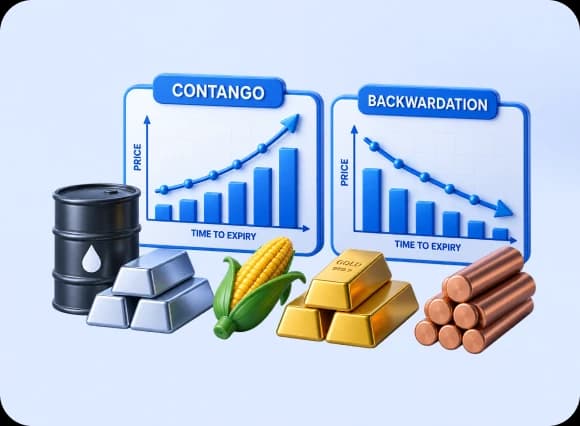
Read MoreContango vs Backwardation in Commodity Futures Explained
Understand contango and backwardation in commodity futures, what drives them, and how traders use these signals to plan smarter trades.
Subscribe for Newsletter
Share on:
Open a Free Demat Account with us only in few minutes
By processing, you agree terms & conditions.

Open a Demat Account in 5 minutes !

Step 01
Click on the button below to open your new account.

Step 02
Fill out some basic details to get started.

Step 03
Upload your documents to verify your account.

Step 04
Start trading within just 24 hours of registration.
Commonly Asked Questions
It is simple and paperless. Visit our website, enter your mobile number, and complete the e-KYC process to open a demat account instantly. Our digital onboarding ensures you can start investing in minutes without physical paperwork.
We unify speed, stability, and advanced tools in one place. Unlike basic apps, our ecosystem offers deep analytics, algo capabilities, and expert support, making us the preferred platform for trading for both beginners and professionals.
A demat account acts like digital storage for your shares and securities, while a trading account is the interface used to buy and sell them. At mastertrust, you get both linked seamlessly for a smooth investment experience.
With over 41+ years of market presence, we combine trust with modern technology. Our transparent pricing, personalised guidance, and regulatory compliance make us one of the preferred stock brokers in India for secure wealth creation.

Slide 1 of 1